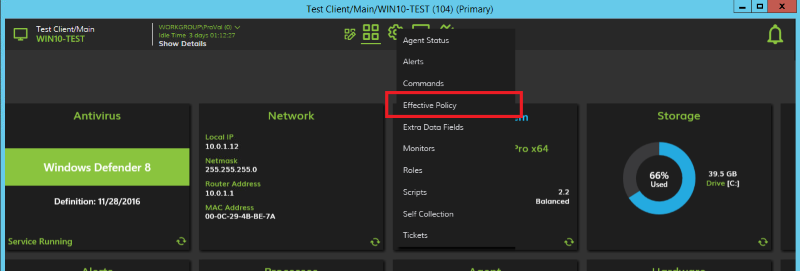
With LabTech 11, LabTech has changed how the Effective Policy is displayed. As a refresher, to review the effective policy of an agent, right-click on the gear icon from within the computer management window and choose Effective Policy.
This will take you to the Effective Policy page of the Computer Management window. LabTech now divides the effective policy into six categories: Groups, Templates, Remote Monitors, Internal Monitors, Schedules, and Scripts
Groups: Groups lists all groups that the agent is a part of. This can be useful for tracking down applied configurations.
Templates: Templates lists all templates that are applied to the agent. These are the configurations applied to the machine.
Remote Monitors/Internal Monitors: The Remote Monitors and Internal Monitors sections continue to be extremely useful in seeing what monitors are applied as well as tracking down monitors that shouldn’t be applied. Monitors will list what applied them in most cases.
Schedules: Schedules lists the times LabTech maintenance and update tasks take place for the agent. These settings are configured Admin > Schedules.
Scripts: Scripts lists the scripts that are scheduled to run against the machine on a recurring basis.
Becoming familiar with and utilizing the Effect Policy can greatly reduce the amount of time spent when tracking down agent configurations. Additional information on Effective Policy can be obtained by reviewing LabTech’s available online documentation.