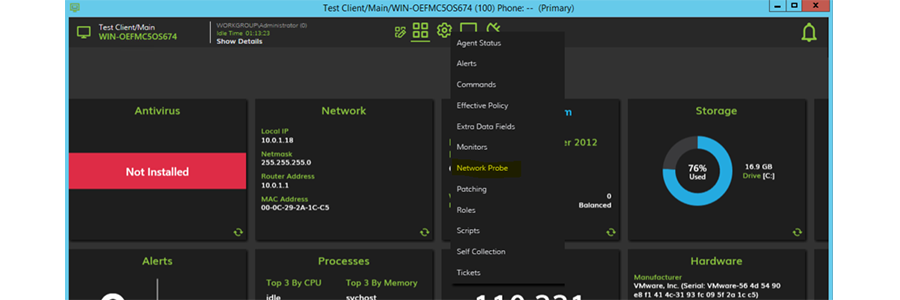
Utilizing probes in LabTech provide additional functionality and automation within your client’s locations. A probe will scan the network once a day importing new network devices it finds, including computers that the LabTech agent didn’t install on. Probes can also install LabTech Agents, perform SNMP Trapping, TFTP Server and Syslog Event Trapping.
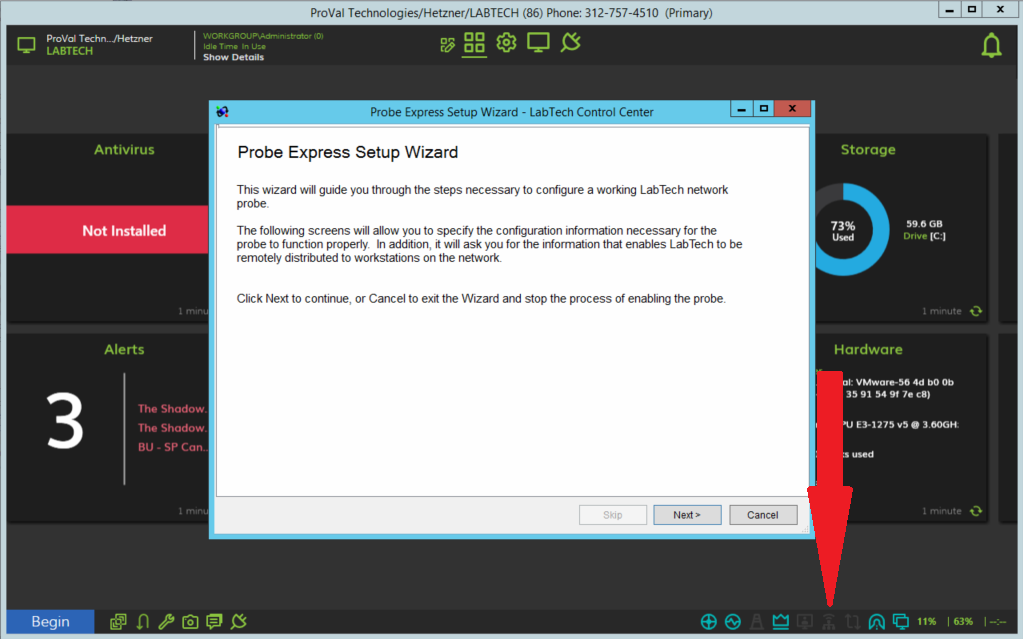
To configure a probe, double-click the agent you would like to be a probe. Ideally, a probe should be a server as it will always be online. From the Computer Management window, navigate to the “Network Probe” icon on the bottom right hand of the screen. Clicking this icon will start the Probe Express Setup Wizard.
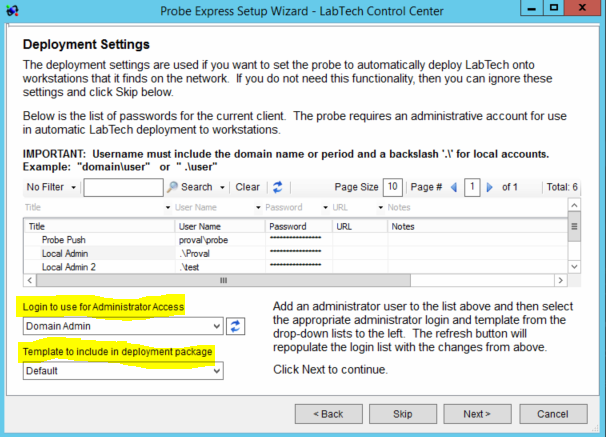
Continuing through the Probe Express Setup Wizard, you will need to select credentials for accessing computers on the network (Domain Credentials) as well as the template to include in the deployment package (Default).
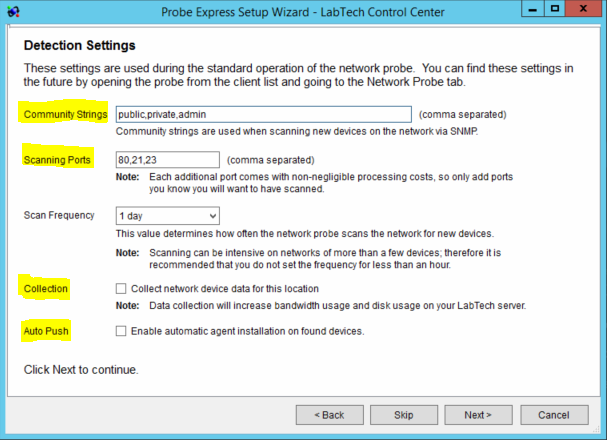
Continuing on, you can further specify community strings for accessing network devices, the ports to scan, as well as whether to collect network data and automatically install LabTech Agents on machines without one.
Once you click next, the last page will require you to click finish to install and configure the probe. Once this process completes, you will have access to the “Network Probe” section under the Automate tab of the Computer Management window.
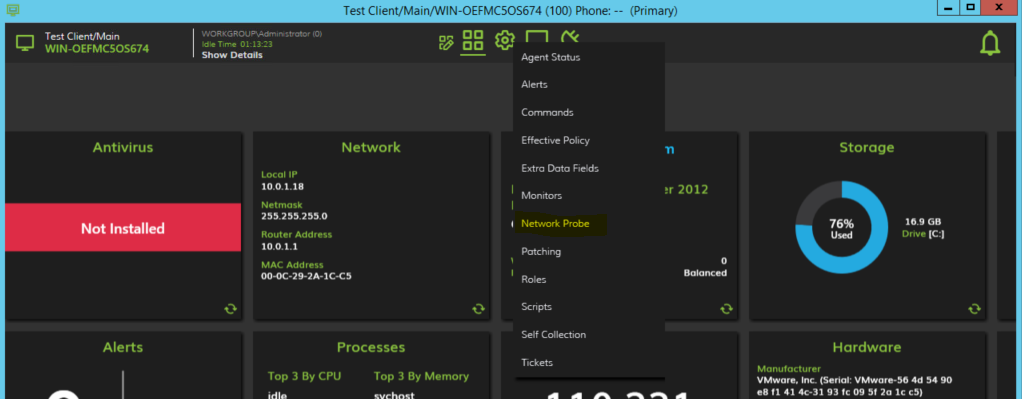
Navigating to the “Network Probe” section will allow you to make adjustments to the settings you configuring in the wizard. Additional customization is available around the probe as well.